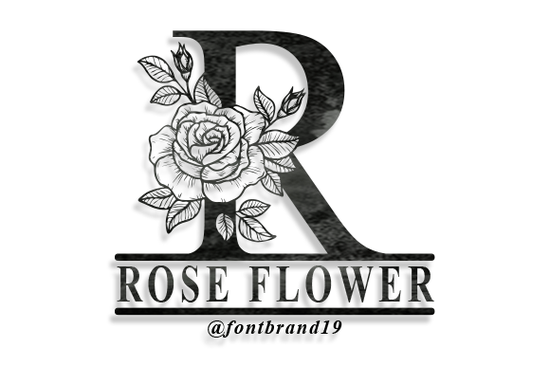
The Split Rose Flower Monogram Font is a decorative typeface designed for anyone who wants to add a romantic, floral touch to their projects. It features ornamental rose details split across each letter, making it ideal for monograms, wedding stationery, and personalized designs. If you work with invitations, crafting, or print-on-demand products, this font brings a handcrafted feel without needing advanced design skills.
You can find this decorative font on Creative Fabrica, where it's available for download along with thousands of other design resources.
What Makes a Split Monogram Font Different?
A split monogram font has a gap or space running through the center of each letter. This split area is where you add a name, date, or word making each letter act like a frame. When you combine that concept with floral rose ornaments, you get a typeface that feels both personal and elegant.
Unlike standard script or serif fonts, split monogram fonts are built specifically for customization. Each character is designed as a decorative element on its own, not just a letter you type with. That's why they're so popular for:
- Wedding invitations and save-the-dates
- Greeting cards for anniversaries, Valentine's Day, and Mother's Day
- Wall art and home décor prints
- Tumblers, mugs, and tote bags for print-on-demand shops
- Social media graphics with a vintage or romantic style
How Do You Use a Split Rose Monogram in Design Software?
After downloading the font file, install it on your computer like any other font. Then open your preferred design tool whether that's Adobe Illustrator, Photoshop, Canva, Cricut Design Space, or Silhouette Studio.
Type the letter you want as your monogram. The split will appear automatically through the center of the character. From there, you can:
- Type a name or word in a smaller, simpler font and place it inside the split area.
- Adjust the spacing and size to fit your layout.
- Add a subtle background color or texture behind the monogram for extra depth.
Pro tip: Pair this font with a clean, lightweight typeface for the name inside the split. Something like Bromello font works well because its flowing script doesn't compete with the ornamental details of the rose letters.
What Projects Work Best With Floral Decorative Fonts?
Floral decorative fonts like this one shine in projects where you want the typography to be the design. You don't need to add much else the rose ornaments already carry visual weight.
Here are a few real-world uses that work especially well:
- Wedding suite designs: Use the monogram on invitation covers, envelope seals, and table numbers. The split rose style pairs naturally with watercolor backgrounds and soft color palettes.
- Print-on-demand products: Monogram mugs, cutting boards, and wooden signs are best sellers on Etsy. A single decorative initial can be a complete product listing.
- Scrapbooking and card making: If you use a cutting machine, you can cut monogram letters from vinyl or cardstock for layered paper crafts.
- Brand logos for small businesses: Boutiques, florists, and bakeries sometimes use a decorative monogram as part of their logo mark.
For creating social media templates or promotional posts, you might also explore complementary options like Autumn in November font for subheadings or Great Day font for taglines alongside your monogram designs.
Does This Font Work With Cricut and Silhouette Machines?
Yes. The Split Rose Flower Monogram Font works with Cricut Design Space and Silhouette Studio just like any other installed font. Once you type your letter, you may need to weld or flatten the design depending on whether you're cutting or printing.
For vinyl cutting, keep in mind that very fine ornamental details may be harder to weed at small sizes. A good rule of thumb is to cut at 3 inches or larger for clean results with intricate rose details.
What Should You Check Before Buying a Decorative Font?
Not every decorative font is built the same way. Before purchasing, consider these points:
- File format: Make sure it includes OTF or TTF files compatible with your software.
- License type: Check whether it covers commercial use, especially if you sell finished products.
- Character set: Some decorative fonts only include uppercase letters or a limited set of glyphs.
- Design quality: Zoom in on the letterforms. Clean vector curves matter for both screen and print use.
Creative Fabrica typically includes clear licensing details on each product page, so you can confirm usage rights before you start selling.
Quick Checklist Before You Start Designing
- ✅ Download and install the font on your computer
- ✅ Restart your design software if the font doesn't appear immediately
- ✅ Choose a simple companion font for the text inside the split
- ✅ Test the monogram at your final output size before committing to a project
- ✅ Check the license if you plan to sell products using this font
- ✅ Save your working file and a flattened version for different use cases
Start by creating one simple monogram maybe a single initial on a gift tag or card. Once you see how the rose details look in your own layout, you'll quickly get a sense of how to use it across bigger projects.
Try It Free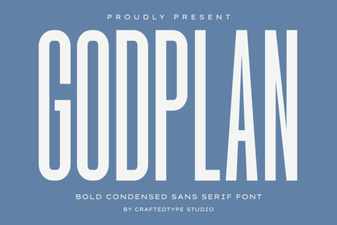 Godplan Font: Bold Typography for Creative Design Projects
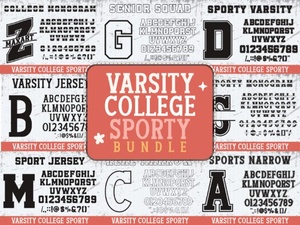 Varsity College Sporty Bundle Font | Bold Display Typeface for Sports Designs
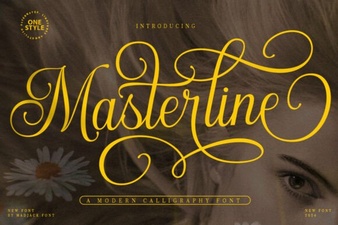 Masterline Calligraphy Font for Elegant Design Projects
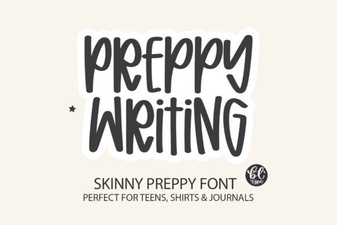 Chic Preppy Font for Stylish Projects
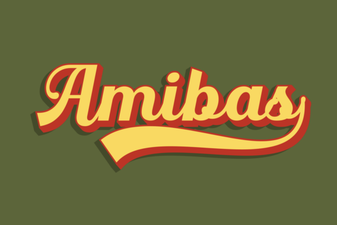 Amibas Font: a Creative Typeface for Modern Design Projects
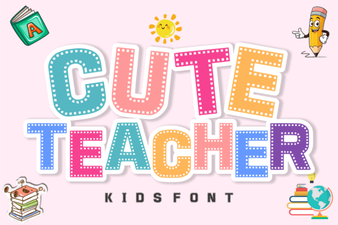 Cute Teacher Fonts for Creative Classroom Designs