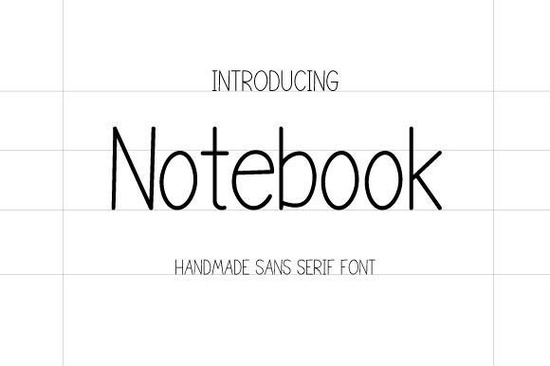
If you've ever wanted a font that looks like clean, careful handwriting without feeling too casual, the Notebook Font is worth a closer look. It's a handmade sans serif typeface designed to bring a personal, legible touch to everything from business materials to creative projects. Whether you're working on branding, invitations, or crafting layouts, this font offers a neat handwritten feel that stays professional.
What Does a Handmade Sans Serif Font Mean?
A handmade sans serif font is one that's drawn or lettered by hand rather than generated entirely by software. It keeps the warmth and character of hand lettering but removes the decorative strokes (serifs) that you'd see in traditional serif font styles. The result is something that feels personal but still clean and modern perfect for designers who want legibility without looking stiff.
The Notebook typeface sits in that sweet spot. It's soft, readable, and works well at both small and large sizes. If you've been searching for a clean sans serif for everyday use, this one fits naturally into that category.
Who Should Use the Notebook Font?
This font is a strong fit for a wide range of creatives:
- Small business owners who need a friendly, approachable look for logos, packaging, or menus
- Print-on-demand sellers creating t-shirt designs, mugs, or tote bags
- Crafters and hobbyists working on journals, planners, or scrapbook pages
- Designers building brand kits, social media graphics, or website headers
- Procreate users who want a reliable handwritten font for iPad lettering projects
It also pairs nicely with bolder typefaces. Try combining it with a thicker display typeface for contrast, or use it alongside a more geometric style for a modern layout.
What Can You Create With It?
Here are just a few project ideas where the Notebook font works well:
- Back-to-school materials worksheets, classroom labels, and bulletin boards
- Autumn and fall-themed designs seasonal greeting cards, harvest event flyers, and cozy branding
- Fashion and feminine branding boutique logos, product tags, and lookbook layouts
- Invitations birthday parties, baby showers, and casual events
- Signature-style headers blog titles, newsletter banners, and social posts
- Sports and team graphics jersey designs, team flyers, and event posters
Because it reads clearly at different sizes, you can use it for both display purposes (like headlines) and shorter body text. That kind of flexibility isn't common with handwritten fonts, and it's one of the reasons this one stands out.
How Does It Compare to Other Fonts?
If you like the Notebook style but want to explore similar options, there are a few worth considering. The Godplan typeface offers another handmade sans serif feel with its own personality. For projects that need a slightly different vibe, Magazine Font brings a stylish, editorial touch.
Compared to other sans serif fonts in this style, the Notebook font doesn't try to look machine-made. It embraces its handmade roots while still being easy to read which is exactly what most creative projects need. For a deeper understanding of how typeface choice affects design, you can explore Google Fonts Knowledge as a helpful typography reference.
What File Formats Are Included?
The Notebook font comes in two standard formats:
- TTF (TrueType Font) works on both Mac and Windows, compatible with most design software
- OTF (OpenType Font) supports additional typographic features and is preferred by many professional designers
Both formats install easily on your computer or tablet. If you're using Procreate on an iPad, you can import the TTF file directly through the app's font settings.
Quick Checklist Before You Buy
Before purchasing any font, it helps to run through a quick list:
- ✅ Check the license make sure it covers your intended use (personal, commercial, POD, etc.)
- ✅ Test readability preview the font at the size you'll actually use it
- ✅ Think about pairing does it work with the other fonts in your project?
- ✅ Confirm file formats TTF and OTF cover most needs, but check your software compatibility
- ✅ Try it first if a preview or sample is available, test it with your own text before committing
Tip: When working on branding projects, print a sample of the font at actual size before finalizing. What looks great on screen can sometimes feel too tight or too loose in print. A quick test print saves time and revisions later.
Download Now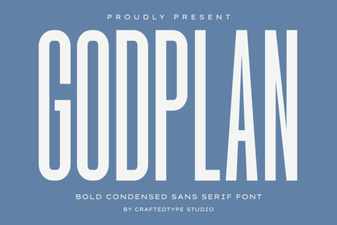 Godplan Font: Bold Typography for Creative Design Projects
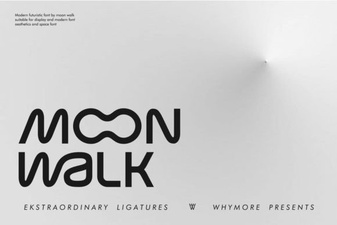 Moon Walk Font: a Retro-Futuristic Typeface for Bold Designs
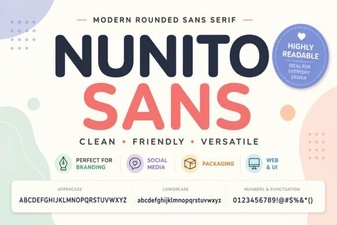 Nunito Sans Font: a Clean, Modern Choice for Any Design Project
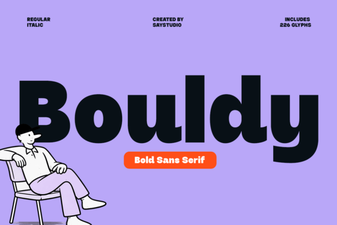 Bouldy Font: Bold Display Typography for Creative Projects
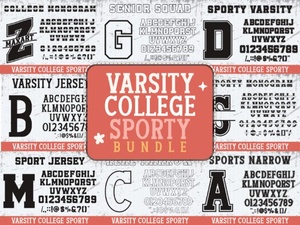 Varsity College Sporty Bundle Font | Bold Display Typeface for Sports Designs
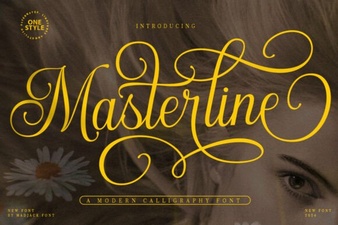 Masterline Calligraphy Font for Elegant Design Projects