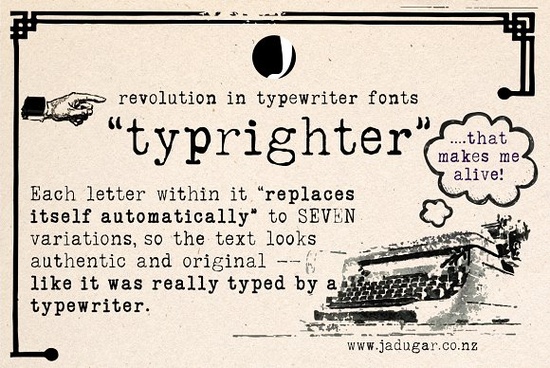
If you've ever tried to make a design look like it came straight from a real typewriter, you know how tricky it can be. Most typewriter fonts repeat the same letter shapes over and over, and the result feels flat. Typrighter solves that problem with a clever feature built right into the font file. Each letter automatically cycles through up to 7 different variations, so every character looks slightly different just like real typewritten text.
What Makes a Typewriter Font Look Real?
Think about how a real typewriter works. Each key strikes an ink ribbon, and the impression changes depending on how hard you press, how much ink is left, and the wear on the type slug. That natural randomness is what gives typewritten documents their charm.
Most digital typewriter fonts miss this. They give you one version of each letter that repeats identically every time you type it. You can spot the fake immediately because two "e's" sitting next to each other look like exact copies.
Typrighter uses contextual alternates to fix this. The OpenType feature swaps letters automatically as you type, cycling through multiple versions of each character. You don't need to do anything manually just type normally and the font handles the rest.
How Do Contextual Substitutions Work?
When you install Typrighter and start typing in a program that supports OpenType features (like Adobe Illustrator, Photoshop, Affinity Designer, or even Canva Pro), the font software looks at each letter in context. If it sees the same letter appearing again, it substitutes a different variation.
This means:
- No two identical letters sit side by side
- Every page of text looks naturally varied
- You don't need to manually swap characters or layers
- The effect works automatically in the background
The up to 7 variations per letter give enough range that even long paragraphs maintain an authentic, hand-typed appearance without obvious repetition patterns.
Who Is This Font For?
Typrighter works well for a range of creative projects:
- Print-on-demand sellers who want vintage or retro designs on t-shirts, mugs, and posters
- Wedding and event stationery designers looking for that old-fashioned correspondence feel
- Book and zine designers working on fiction, poetry layouts, or indie publications
- Social media creators who want a textured, handmade look in their graphics
- Scrapbookers and crafters using design software for journaling elements
- Small businesses building a brand identity with a vintage or artisan personality
If your project calls for a detailed serif font with an authentic typewriter feel, this one delivers exactly that without extra work on your part.
Where Can You Use Typrighter?
Because it's a standard font file, you can use Typrighter in most design applications:
- Adobe Photoshop, Illustrator, and InDesign
- Affinity Designer and Affinity Publisher
- Canva (with upload)
- Cricut Design Space
- Silhouette Studio
- Microsoft Word and Google Docs (with limited OpenType support)
Note: Full contextual alternates work best in applications with strong OpenType support. Basic typing apps may show only the default letter forms without automatic variation.
What Kind of Projects Pair Well With It?
Typrighter fits naturally into designs that lean vintage, rustic, or editorial. Here are some specific ideas:
- Vintage-style quote prints typewriter text on textured paper backgrounds
- Album or journal covers especially for indie music or personal writing projects
- Recipe cards and kitchen prints the old-fashioned look suits home décor
- Retro advertising layouts think 1960s and 1970s classified ad aesthetics
- Documentary or film title cards for that authentic archival feel
Pairing Typrighter with complementary typefaces also works well. For example, you might combine it with a clean display font like Whimora for elegant headings while using Typrighter for body text or accent quotes. Mixing styles like this adds visual depth to your layouts.
Does It Include Full Character Support?
A good typewriter font should cover more than just basic Latin letters. Check that your font includes:
- Uppercase and lowercase letters
- Numbers and common punctuation
- Extended Latin characters for international use
- Ligatures and stylistic alternates
Typrighter's multiple variations per character add to this coverage, giving you a rich set of glyphs that keep your text looking organic across different languages and contexts.
You can find Typrighter Font on Creative Fabrica along with thousands of other typefaces suited for professional and personal design work.
Quick Checklist Before You Start Designing
- ✅ Confirm your software supports OpenType contextual alternates this is key for the auto-variation feature
- ✅ Test a few paragraphs before committing to a full layout to see how the letter cycling looks at your chosen size
- ✅ Try different sizes typewriter fonts often look best at medium to large text sizes where the detail is visible
- ✅ Pair with a clean sans-serif or serif for headings to create contrast and hierarchy
- ✅ Check the license to make sure it covers your intended use, especially for commercial print-on-demand products
Next step: Download Typrighter, open your design software, and type out a short paragraph. Watch how the letters vary automatically. If the effect works as expected in your setup, you're ready to build your project around it. Try It Free
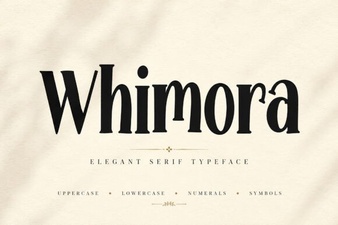 Exploring Whimora Font's Creative Design Possibilities
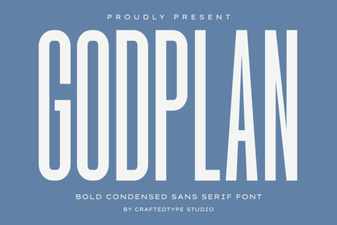 Godplan Font: Bold Typography for Creative Design Projects
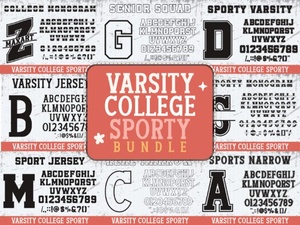 Varsity College Sporty Bundle Font | Bold Display Typeface for Sports Designs
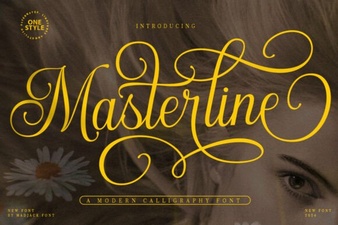 Masterline Calligraphy Font for Elegant Design Projects
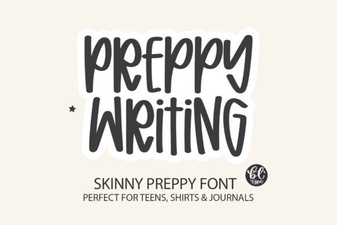 Chic Preppy Font for Stylish Projects
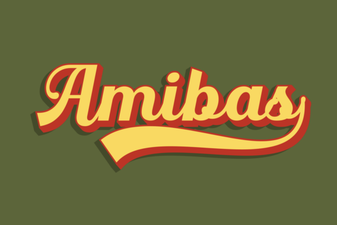 Amibas Font: a Creative Typeface for Modern Design Projects